
Heffl records the signing activity and related document history. Whether an electronic signature is legally effective depends on the agreement, the signing process and the law that applies to your situation, so obtain legal advice where needed.
Contracts & E-Signatures
Draft, send, and sign proposals, NDAs, MSAs, and SOWs without leaving your CRM. Reusable templates, drag-and-drop signature blocks, and a clear document history so your team can keep client work moving.
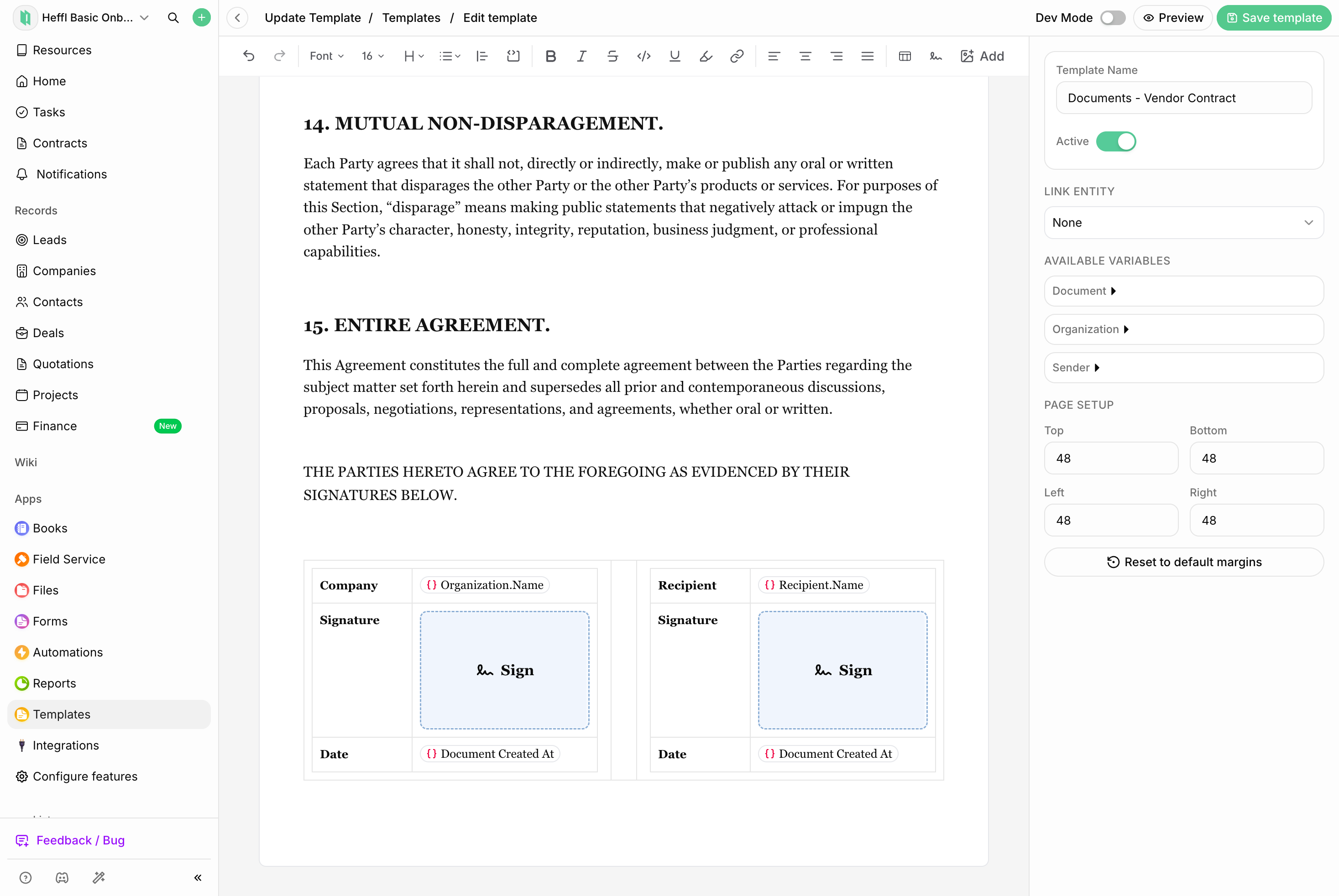
Keep contract work together:
Document templates
Signature requests
Document activity
Client and deal context
Keep agreements close to the client work
Prepare agreements, collect signatures and review document activity in the same workspace as the client and deal.
Without Heffl
Contracts bounce between documents, email, and separate tools
With Heffl
Draft, send, and sign every contract inside Heffl - no extra tools
Without Heffl
You re-type client and deal details into every new document
With Heffl
Templates auto-fill client, deal, and quote variables from your CRM
Without Heffl
Signed copies live in someone's inbox, not the client record
With Heffl
Signed contracts auto-attach to the client and deal with full audit trail
From Template to Signed PDF in Minutes
Every contract follows the same clean path - and every step is tracked.
1
Pick a Template
Start from your MSA, NDA, proposal, or scope-of-work template
2
Auto-Fill from CRM
Client, deal, quote, and sender variables populate from your data
3
Place Signature Blocks
Drop signature, initials, and date fields for each recipient
4
Send for Signature
Email invites go out via your Gmail, Outlook, or SMTP inbox
5
Track Every Step
See sent, viewed, partially signed, and signed in real time
6
Signed & Filed
Signed PDF + audit trail auto-attached to the client record
1
Pick a Template
Start from your MSA, NDA, proposal, or scope-of-work template
2
Auto-Fill from CRM
Client, deal, quote, and sender variables populate from your data
3
Place Signature Blocks
Drop signature, initials, and date fields for each recipient
4
Send for Signature
Email invites go out via your Gmail, Outlook, or SMTP inbox
5
Track Every Step
See sent, viewed, partially signed, and signed in real time
6
Signed & Filed
Signed PDF + audit trail auto-attached to the client record
Templates
Build Once, Send Forever
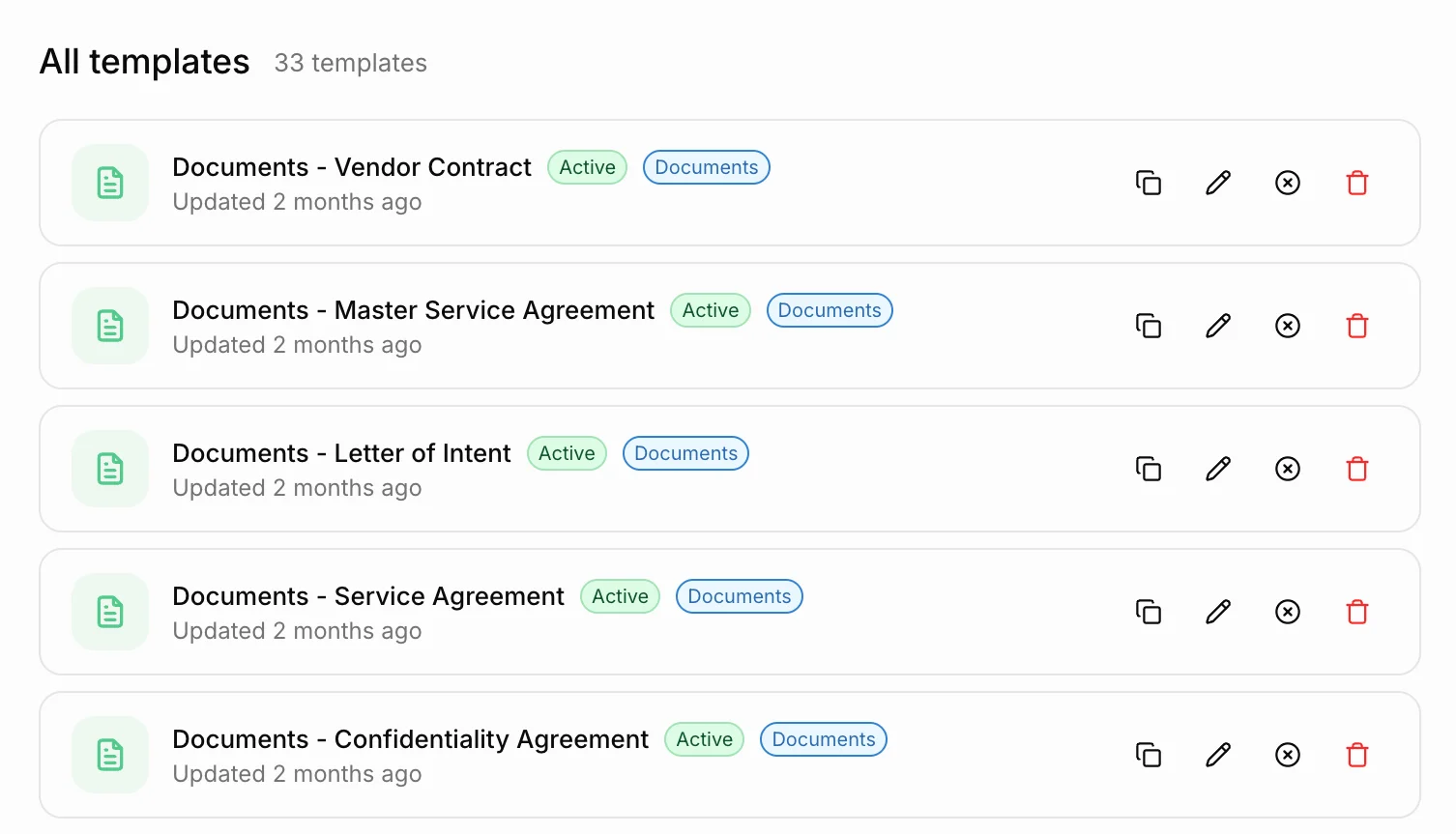
Store your MSA, NDA, SOW, and proposal templates inside Heffl. Variables for client name, deal value, project scope, sender details, and dates auto-fill from your CRM, with no more find-and-replace.
Master Service Agreements (MSAs)
Non-Disclosure Agreements (NDAs)
Statements of Work (SOWs)
Proposals and engagement letters
Custom branded templates
Signature blocks
Drag, Drop, Assign — Done
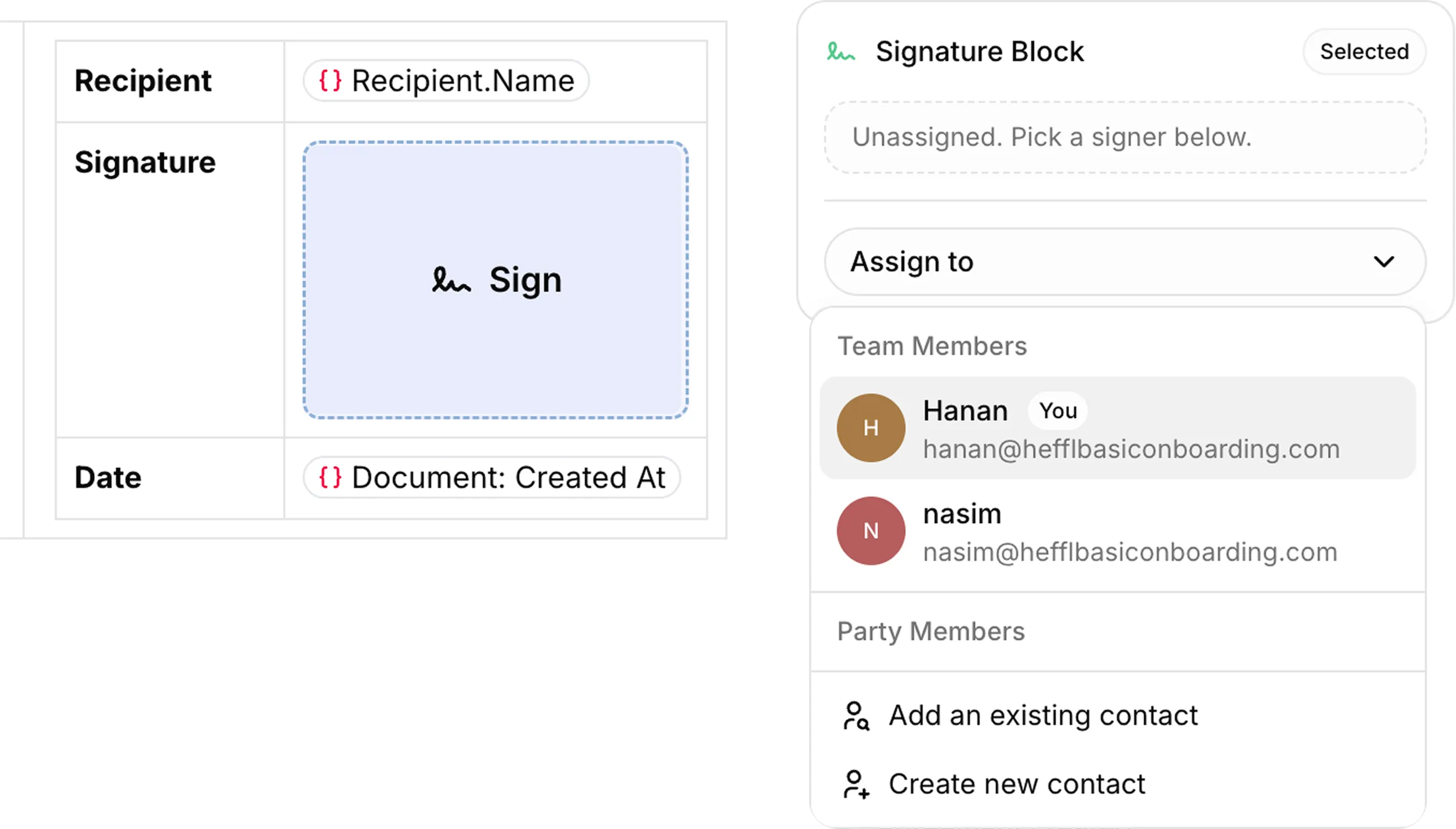
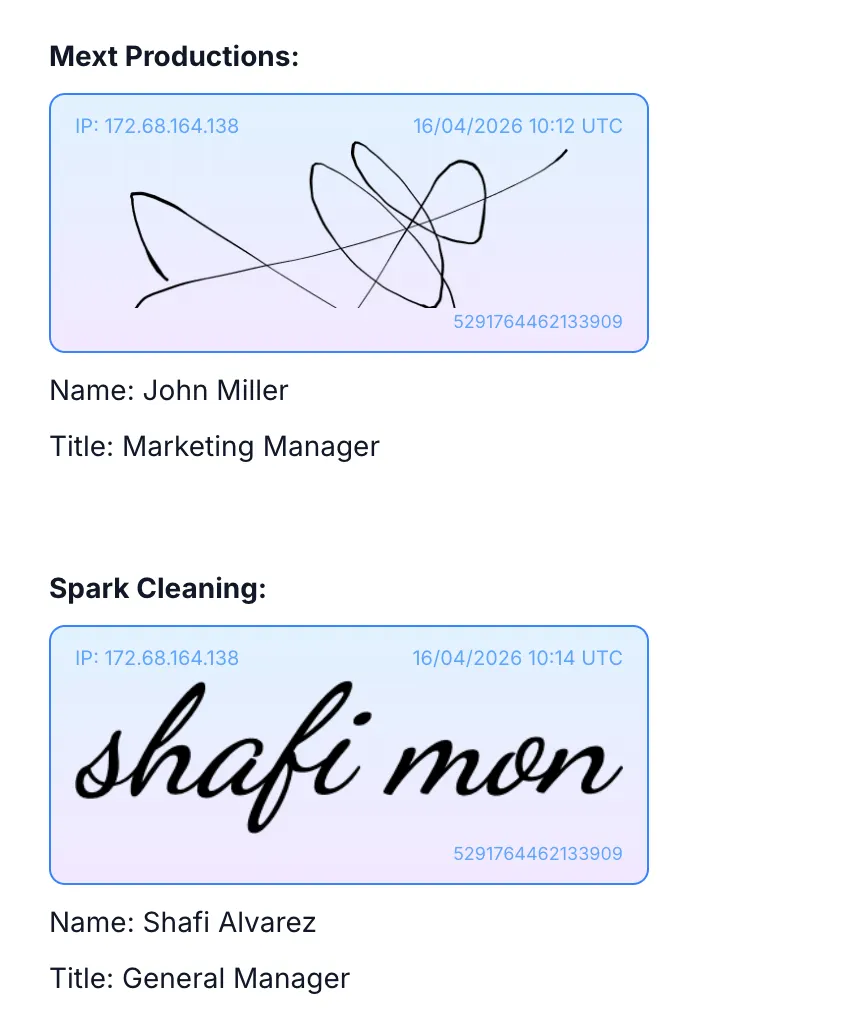
Drop signature, initial, and date fields anywhere on the document and assign each one to a specific signer. Heffl validates that every block has an owner before letting you send.
Signature
Type or draw on any device
Initials
Page-by-page initialling
Date Field
Auto-stamped on sign
Per-signer
Color-coded per recipient
Know Exactly Where Every Contract Stands
Every contract has a real-time status. Auto-reminders keep stalled docs moving without awkward follow-up emails from you.
Draft
Sent
Viewed
Partially Signed
Signed
Legally binding
Multi-Party Signing & a Defensible Audit Trail
Add as many signers as you need - client, witness, internal approver. Choose parallel signing or a sequential order with auto-cascading invites. Every event is captured.
What the audit trail records:
Request created
Email sent
Email opened
Document viewed
Signing request opened
Signed
Each event captures IP address, user agent, device fingerprint, and timestamp.
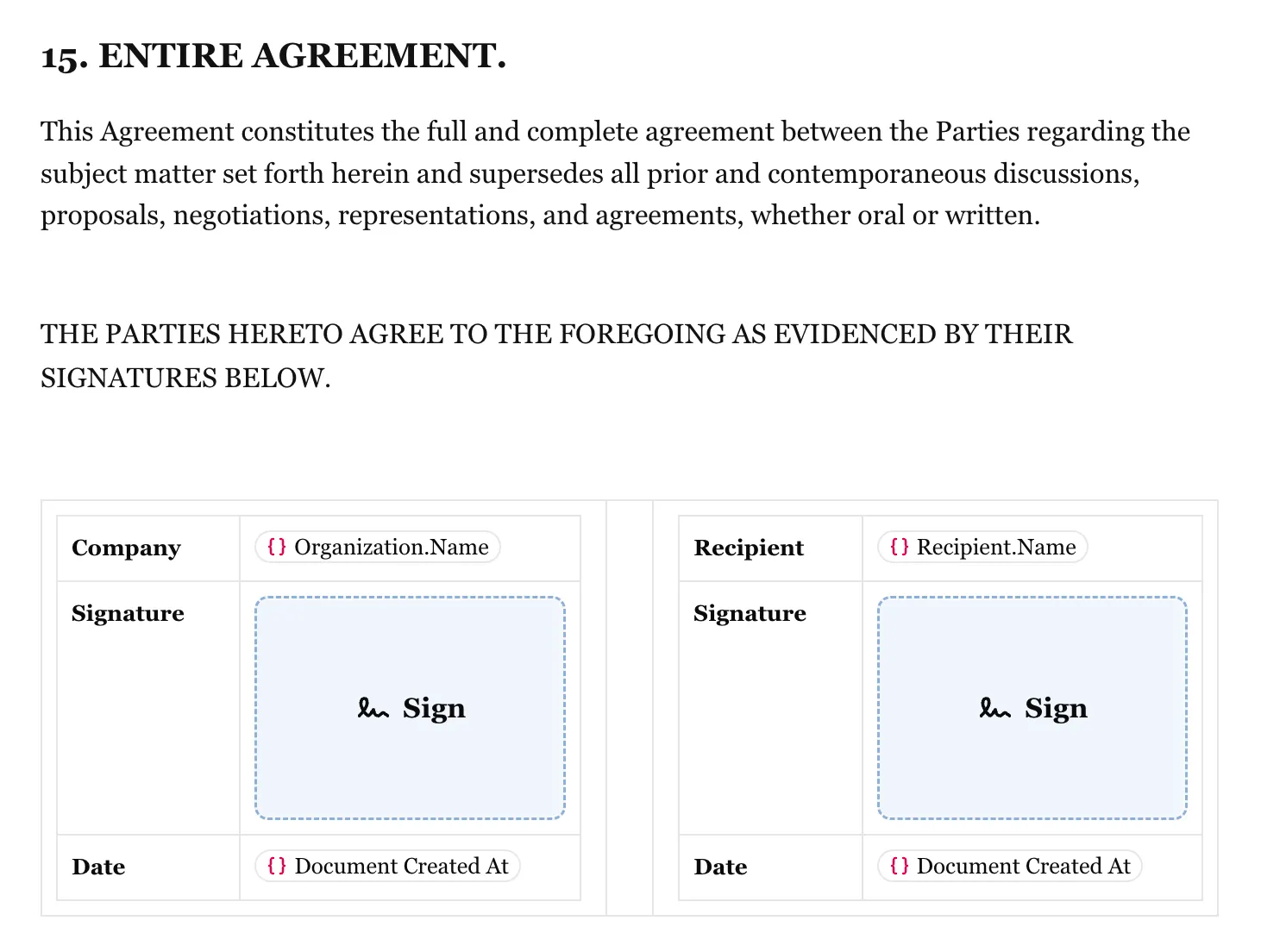
Everything You'd Expect — Inside Your CRM
No plugins, no extra logins, no per-envelope pricing surprises.
Build & customize
- Reusable contract templates (MSA, NDA, SOW, proposals)
- Drag-and-drop signature, initial, and date fields
- Auto-fill variables from clients, deals, and quotes
- Edit contracts in Heffl
Send & sign
- Multi-party signatures (you + client + witness)
- Parallel or sequential signing order
- Send via your own Gmail, Outlook, or SMTP
- Auto-reminders for unsigned contracts
Track & store
- Real-time status: draft, sent, viewed, signed
- Full audit trail with IP, timestamp, and device
- Signed copy auto-stored against the client and deal
- Revise and resend without re-uploading
Signed → Revenue
A Signed Contract Becomes a Project & Invoice in One Click
The moment a contract is signed, Heffl can spin up the project, schedule kickoff tasks, and generate the first invoice using the same client and deal data — no re-keying.
Signed PDFs are automatically attached to the client and deal records, so your finance, ops, and account teams are always working from the same source of truth.
Auto-create project from signed scope
Generate first invoice from contract value
Signed PDF attached to client & deal
Frequently Asked Questions About Contracts & E-Signatures
Yes. Add the recipients your agreement needs and choose whether they receive signing requests together or in sequence.
Heffl keeps a document activity history for the signing request, including the request and signing events captured during the flow. Available detail depends on the event and your workspace setup.
Yes. Reuse document templates and populate supported fields from the related CRM record, so the starting point does not need to be recreated for every client.
The signed document remains connected to the related client and deal, giving your team one place to review the agreement and the commercial context around it.
Use the revise flow when a sent document needs changes. It creates an updated signing process so recipients review the current version before signing.
Heffl brings document templates, signing requests, document activity and related client and deal context into the same workspace as your CRM.
Keep contract work inside your CRM
Keep templates, signing requests, document activity and the related client context together in Heffl.
Template-based document setup
Multi-recipient signing requests
Audit trail on every contract
